
Through Founding Possibilities, we recently hosted our first virtual summit called Build Ecosystems, Not Empires. My partner Gelaine had been dreaming of hosting a web summit for BIPOC entrepreneurs for a few years and with our previous ecommerce business Cambio & Co. having wrapped up earlier this year, this was the moment to make it happen.
Gelaine purchased a guide on how to run a virtual summit from Summit in a Box and it did feel like this could be done in a very streamlined way while I take a role as a tech advisor on the project. When you think of the technical work behind a web summit, you think of a website, recorded presentations on a video platform, Zoom live webinars, and some email marketing. How hard can it be?
We were wrong! 2 months before the summit as the technical requirements kept getting more complex I finally realized this was like the countless tech projects i’ve lead through my career. We sell virtual products (presentations!) to an audience (summit attendees) that depends on many stakeholders (speakers!) and it needs to be delivered on very tight timelines (summit dates were already announced!).
This was time to stop being the advisor. With Gelaine as the realm and leading the overall summit experience, I took charge of the technical delivery.
It’s always about email
Our summit was free to attend.
The free experience gave attendees access to watch pre-recorded and live presentations for a limited time of 48 hours. They could also pay to upgrade and get all the presentation recordings for a full year + bonus offers from the speakers.
We knew from the start that majority of people would choose to watch for free and for that reason the most important asset for us was their email. To attend the summit, our attendees were consenting to join our business newsletter (and we were very transparent about that).
We use Kit as a newsletter & email marketing platform. The summit signup button was a Kit modal on our Squarespace virtual summit landing page (which sadly required an upgrade from Squarespace Basic plan to Core to allow code injection on the page).
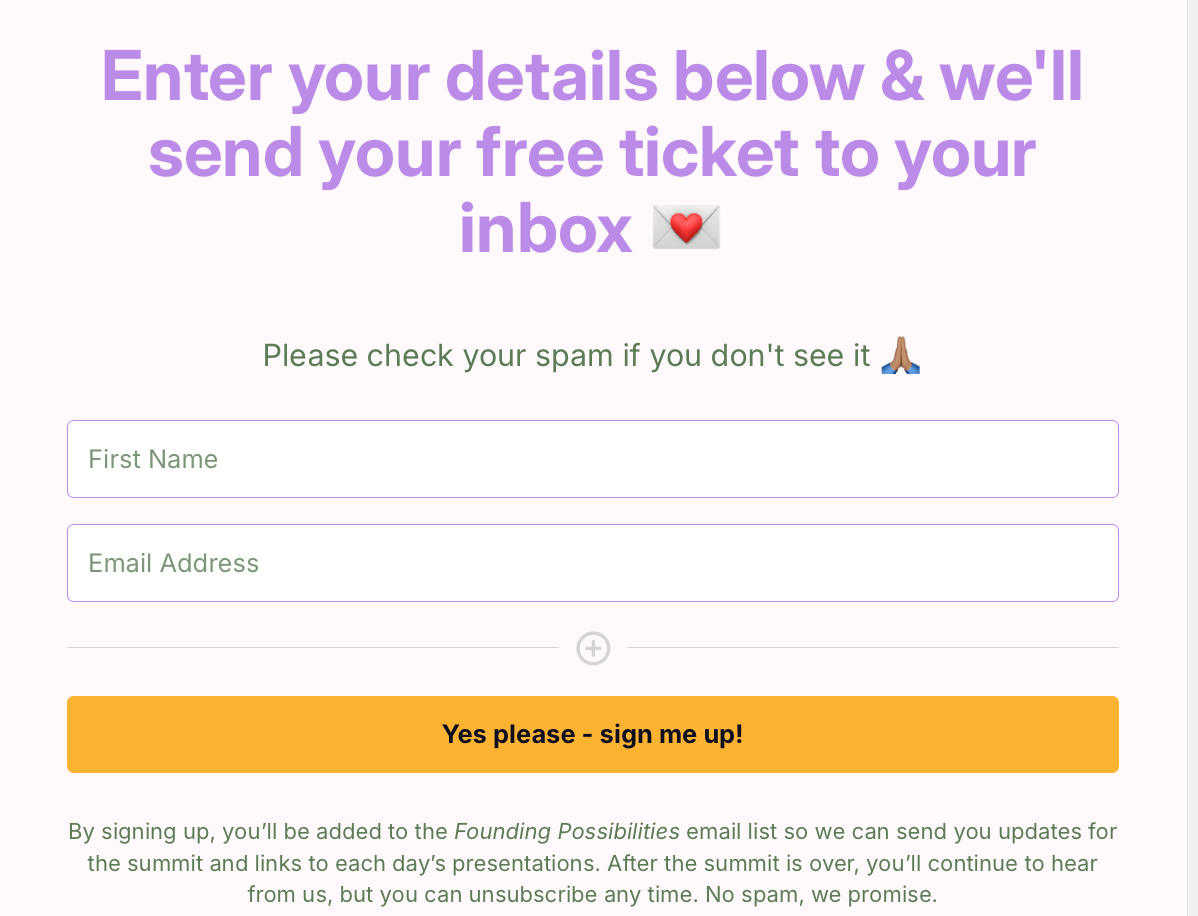
Once they signed up, they had a tag added and that’s how we would reach out to them for the rest of the summit (and after!). This became our CRM and source of truth of summit attendees. If they chose to unsubscribe from the newsletter or from summit emails, we took them out of the summit portal automatically.
Just like ecommerce and most retail business, email is your most important marketing asset and it was the same for the summit.
Do All-In-One solutions truly exist?
Once people signed up to the summit, we had a lot of requirements:
An online community for attendees and speakers to exchange together
Calendar & alerts to be reminded of live events occuring on Zoom
Pages to watch pre-recorded presentations (embed from Vimeo) with a 48 hour expiry
Host speaker bio, summit schedule, presentation notes
Offer paid upgrades in a sales funnel with different pricing at different times and embed a payment form with Stripe
A course platform to serve presentation videos & subtitles for those who paid to get the recordings for a full year
Offer a different onboarding & communication experience for those with a paid upgrade, including private community
A referral platform for speakers to get a commission when their referees signed up for the paid upgrade
Flexible API integrations to easily sync our email subscribers and push key metrics & events to our internal Slack
We could have chosen a specialized tool for each of those use cases and that’s when it can get complicated fast as you start trying to integrate all those tools together.
Instead, we chose Fern CRM, a platform built on top of GoHighLevel. Mollie at Fern generously donated us the tool for the summit, guided us to make it our own and even helped with some of the configuration in exchange of becoming our official tech sponsor.
I was not familiar with the world of GoHighLevel (GHL) and was pleasantly surprised. “All-in-one” tools are often rich in features but rarely great at any of them. We were able to customize the platform to our needs and also to configure it to the exact look and feel we needed.
We wanted to offer an online community that was actually easy and fun to use (not-another-Facebook-group), and it turned out to be a major component of what made the summit such a success. Attendees and speakers created hundreds of messages over just 3 days.
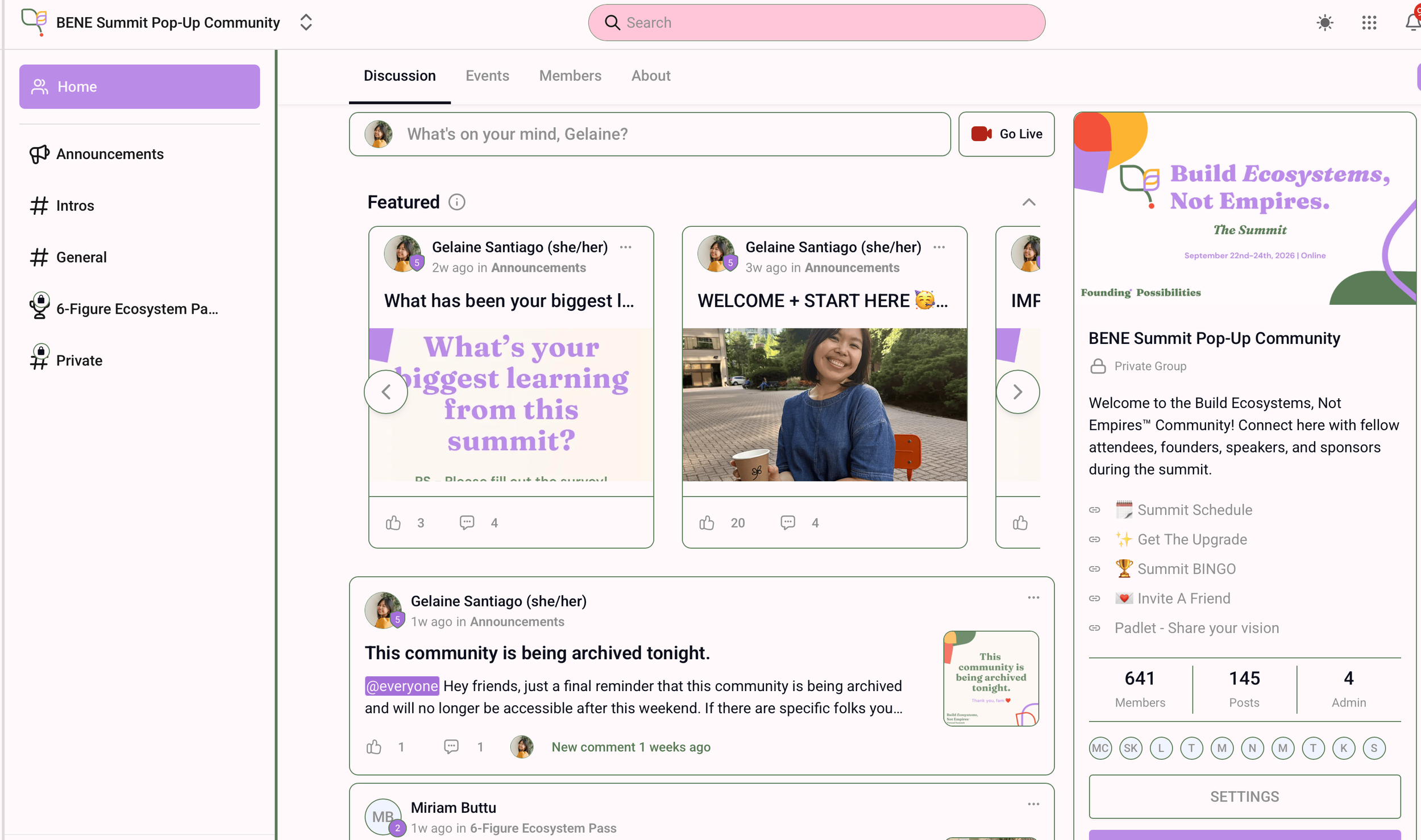
The BENE Summit Pop-Up Community
Achieving such a high level of engagement was a pleasant surprise for us, especially since it was optional to join and it required attendees to first create a password to join the community. It’s definitely a testament to the platform but also to the efforts Gelaine made to build a sense of community in a virtual environment (we even had a Summit Bingo to encourage participation!)
Having a great API was crucial as our email integration needed to work seemlessly in both directions. Summit attendees first signed up and joined the summit through our email platform, which created their user profile in Fern CRM. Meanwhile attendees purchasing upgrades through Fern sales funnels needed to be synced back to Kit in order to give them a personalized email sequence. All our daily KPI, metrics, and new messages on the community were also pushed to Slack. I used Make.com to easily build and host those integrations.
What was technically challenging?
We wanted a referral tool to allow speakers to share about the summit to their audience, track how many attendees they brought and get a commission if some of them were purchasing an upgrade. While Fern CRM (GoHighLevel) offers this feature and give you an embeddable javascript to add to your website, getting that feature to work across 3 tech platforms (Squarespace, Kit.com and Fern) turned out to be quite a challenge. A persistant cookie across multiple subdomains ended up being the solution but building this went far beyond the little amount of documentation I had available.
As it’s often the case in Canada, integrations don’t always navigate well the change of currency we are accustomed for on our side of the border. The order form to Stripe was in USD, which worked well to get paid back in USD in Wise. However the GoHighLevel integration to QuickBooks Online for our bookkeeping would push the transaction amounts in CAD. Not the first time I hit this problem and with our short timelines, there was just no time to wait for support to resolve this. Thankfully Fern did navigate very well the proper way of charging sales tax in Canada across provinces, which I’ve seen fail too often with other payment tools (and other virtual summits!).
The human factor
But the biggest challenge turned out to be the human component. With over 20 (amazing!) speakers, gathering all the information we needed was a laborious process.
We needed to know a lot about them: name, pronouns, bios, photos, socials etc. But also everything about their presentations: title, description, pre-recorded videos, etc. On top of this, speakers were offering freebies offers for free attendees, bonus offers for the paid attendees, URLs to get access to all of this, bingo prizes, etc.
We used ContentSnare to help gather that information with automatic email reminders, re-usable forms and allowing speakers to partially fill up the form at their own pace (as buildling a great presentation for a conference or summit is a multi-weeks effort). There was an auto-sync of the information to Google Drive folder for the medias submitted which was a godsend.
However ContentSnare does not have an easy way to show a consolidated view of all the information you collected. I built an integration using the ContentSnare API to Airtable, but the data returned by the API was in a complex JSON difficult to navigate and needed to be rebuilt when we used new different forms (ex: a speaker didn’t have the same form as a panelist).
In the end, we hired our friend Justine at Living Hyphen to help with the admin work of gathering that info from the speakers since the tech was falling short and because we also needed help getting all that info populated on the website. This was just too much to manage with the amount of time we had.
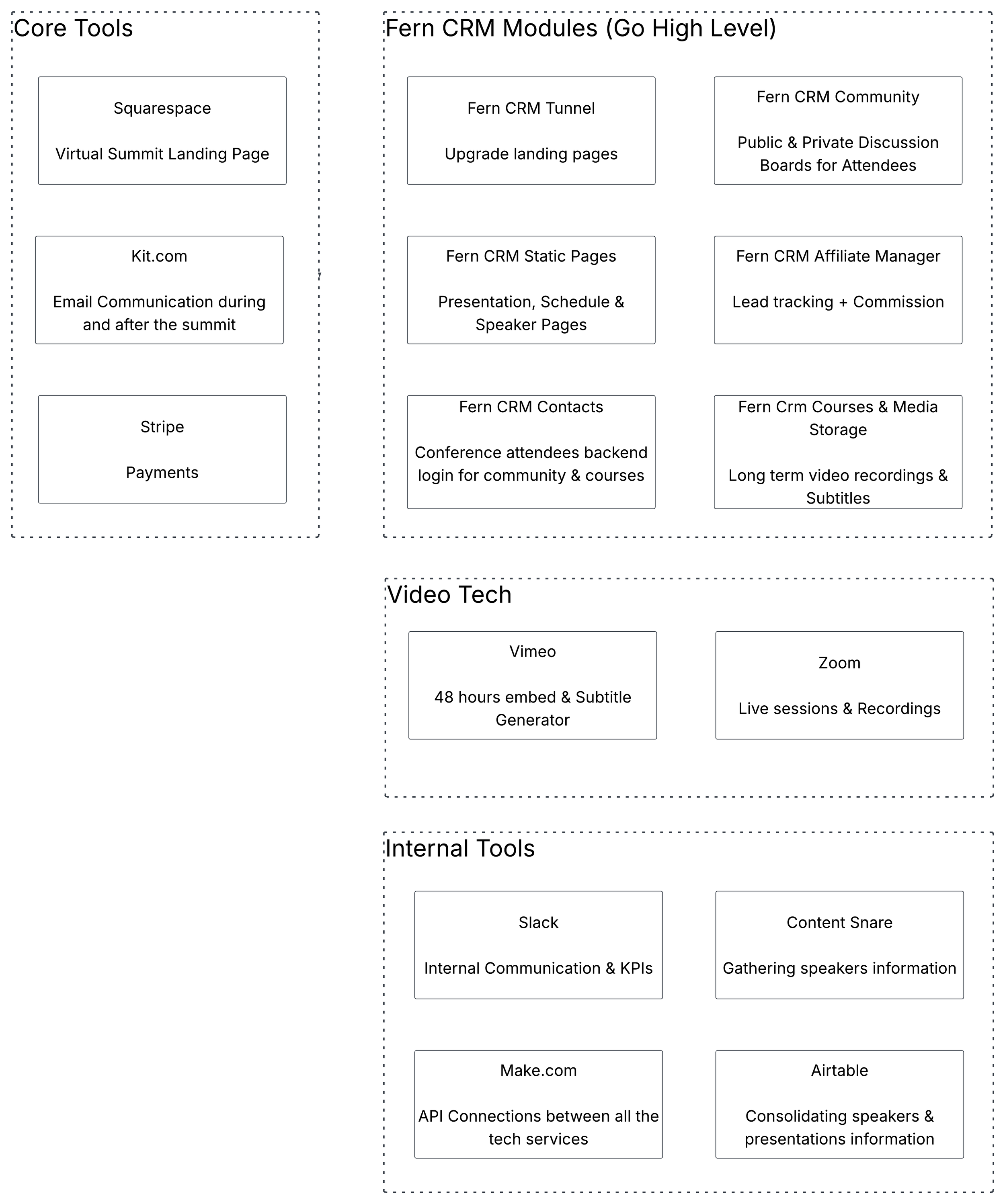
All the different technologies used to built our Virtual Summit
What about AI?
This was the first major tech project since we founded Founding Possibilities and I was looking forward to use this as a testing ground for AI to accelerate the delivery without losing sight of the crucial human factor behind this summit. This is a topic for a future blog post!
What’s truly important
In the end, this turned out to be quite a bigger endeavour that we envisioned and there’s a big sense of accomplishment of looking at a Trello board with over a 100 tasks in the “DONE” list. What was truly important was the experience that the attendees had attending the Build Ecosystems, Not Empires Summit. If the tech was not a blocker for them or if they did not even think twice of it, that probably means we did our job right.
We did get tons of positive feedback on our community platform and how smooth everything felt, which was really nice to hear. However, more importantly, we received so much positive feedback on how great the presentations were (thank you Speakers!) and how much the summit is going to help them grow their business and this is why we hosted this summit in the first place.